- Resubmit after a failure or cancellation. When a PR fails its checks or gets cancelled out of the queue, the panel now shows a structured terminal state instead of a generic “Add to Merge Queue” fallback. A Failed PR lists which required checks did not pass, with links to each run log. A Cancelled PR shows who removed it, when that information is available. Both show a Resubmit button that re-enqueues the PR without leaving the GitHub PR page. A new Waiting to Batch state also appears when batching is accumulating PRs before testing begins. See Resubmit after failure or cancellation.
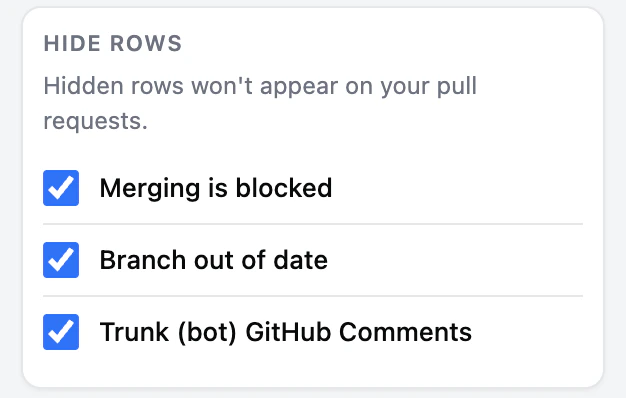
- Configurable row hiding. The popup Settings now has a Hide rows card with three opt-out toggles: hide GitHub’s “Merging is blocked” status row, hide the informational “branch out of date” conflicts row (actionable conflicts always stay visible), and hide the Trunk bot’s merge-queue prompt comments. All default to on and save per browser profile. See Configuring row hiding.